
Rewind 99 Store Layout Guide
Wide aisles, short rewind walks, toys on dead walls — not a labyrinth of Action.
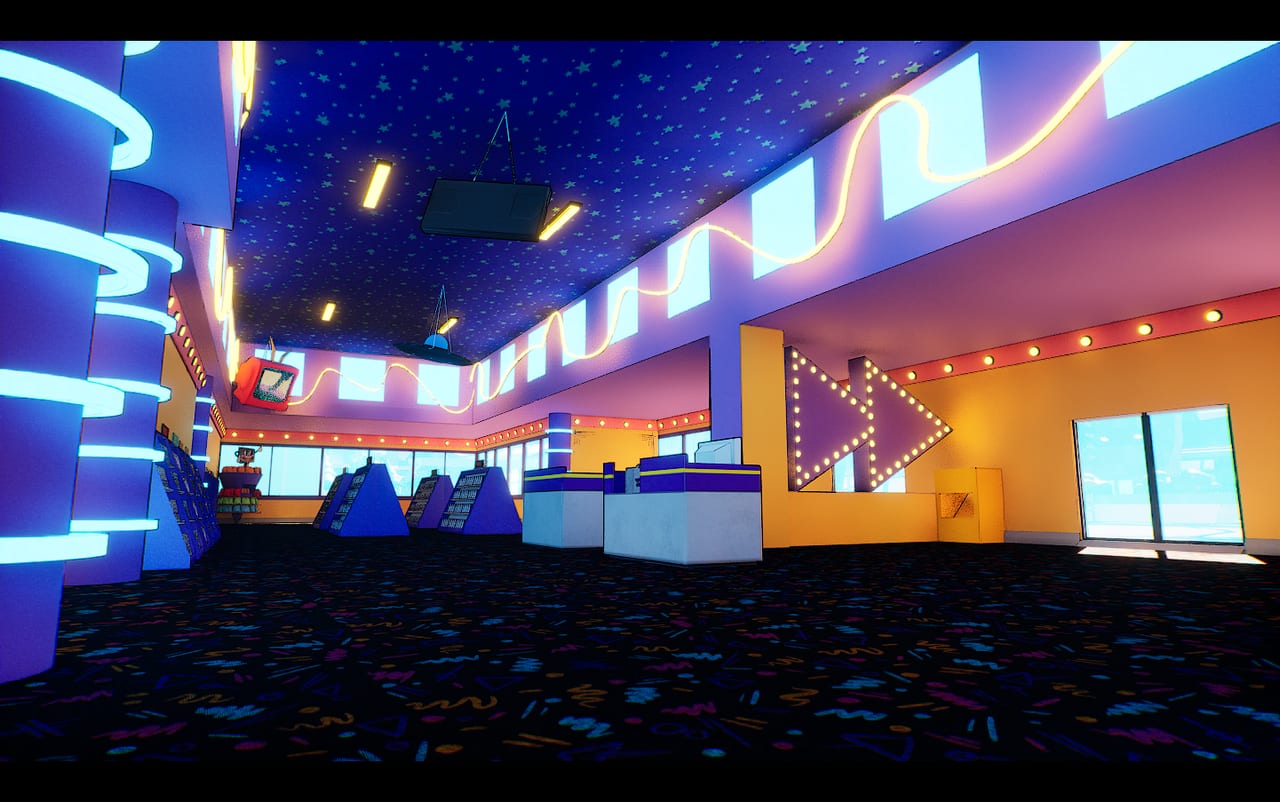
A Rewind 99 shop fails in two ways: it looks empty, or it looks full and nobody can walk. This layout planner is the second problem. Grid building with Q/E rotation is easy to over-decorate. Customers path through doors, get stuck, and cancel transactions. Employees path to the nearest empty slot. Your job is to draw a highway before you draw a vibe. Pair this with the beginner guide on hour one and with the tier list before a basement.
The five zones
- Truck alley — keep the back door clear. Every order dies if a claw machine is sitting on the unloading path.
- Rewind highway — returns counter → left bin → machine → genre wall in as few turns as possible. Full loop in how to rewind tapes.
- Checkout lane — face the register toward the door. Self-checkouts later extend this lane, they do not replace a blocked door. Employees stand here; give them space.
- Genre walls — four tutorial genres in blocks, not stripes that force a shopper to zigzag. Mixed Movies get their own bay if you mix films.
- Hustle / trophy dead walls — Claw, Candy, Arcade, Sloshy, collectibles. Visible, not in the highway. Collectibles are museums, not traffic calms.
Basements are a sixth zone you unlock, not a first zone you buy. Fight Club wants it. Your Friday queue does not.
Placement rules that prevent tickets
- Aisles wide enough for a customer plus you carrying a box.
- No one-tile gaps that look clever and eat pathing.
- Doors swing into empty tile, not into a snack rack.
- Snacks live where the queue already stands, which is how money actually prints.
- Reserved hustle grids mean what they say after 0.9.32. If the popup refuses Fight Club, you need level or basement, not a 2-degree rotation.
- Sprint in Builder Mode exists; use it to test the walk from truck to rewind with a box in hand.
In co-op, draw this plan before four people start rotating shelves. Committee interiors are how you brick a door. Host F5s before the remodel.
Performance is a layout stat
Remix rebuilt hitching, but a maze still multiplies NPC brains. If the fan screams after you “finish” decorating, strip toys from the main loop before you lower shadows. System requirements assume a shop, not a theme-park corridor. Mechanical Bull in the only aisle is a C-tier hustle in an F-tier seat.
RentNet is outside. Do not hide the front windows behind posters so hard that the parking lot disappears — you still need to see kiosks on the map when you walk out with a bat.
A first-week floor, written out
Truck door empty. Rewind station on the back wall, left bin touching it. Comedy and Action on the long walls (your two loudest genres). Animation and Sci-Fi on the short wall. Register facing the glass. One snack shelf at the queue. Empty center. That is the shop. Everything else is DLC you pay for with payday. When a VIP unlocks Claw, put it on the dead wall by the window, not beside the left bin.
If customers still clog, you have a door problem or a kiosk problem, not a “need more tapes” problem. Smash RentNet, then delete one decorative plant. The analog shop is a workplace. Let it look like one.
Frequently Asked Questions
Quick answers to the most common questions.
Where do I put the rewind station?
On a short path from the return counter to the genre walls, with the left bin touching the machine. Never in the customer door.
Why do shoppers get stuck?
Narrow aisles, doors blocked by snacks, and two clerks in co-op occupying the same tile. Widen first, decorate second.
Can I put Fight Club on the main floor?
Only if the hustle grid allows it. It usually wants basement space. Check the popup, then the tier list.
Does layout affect FPS?
A maze with extra NPCs costs more than a wide shop. Remix helped; it did not make labyrinths free. See system requirements.