
Rewind 99 Controls Guide
First-person clerking on mouse and keyboard, with a few traps the tutorial skips.
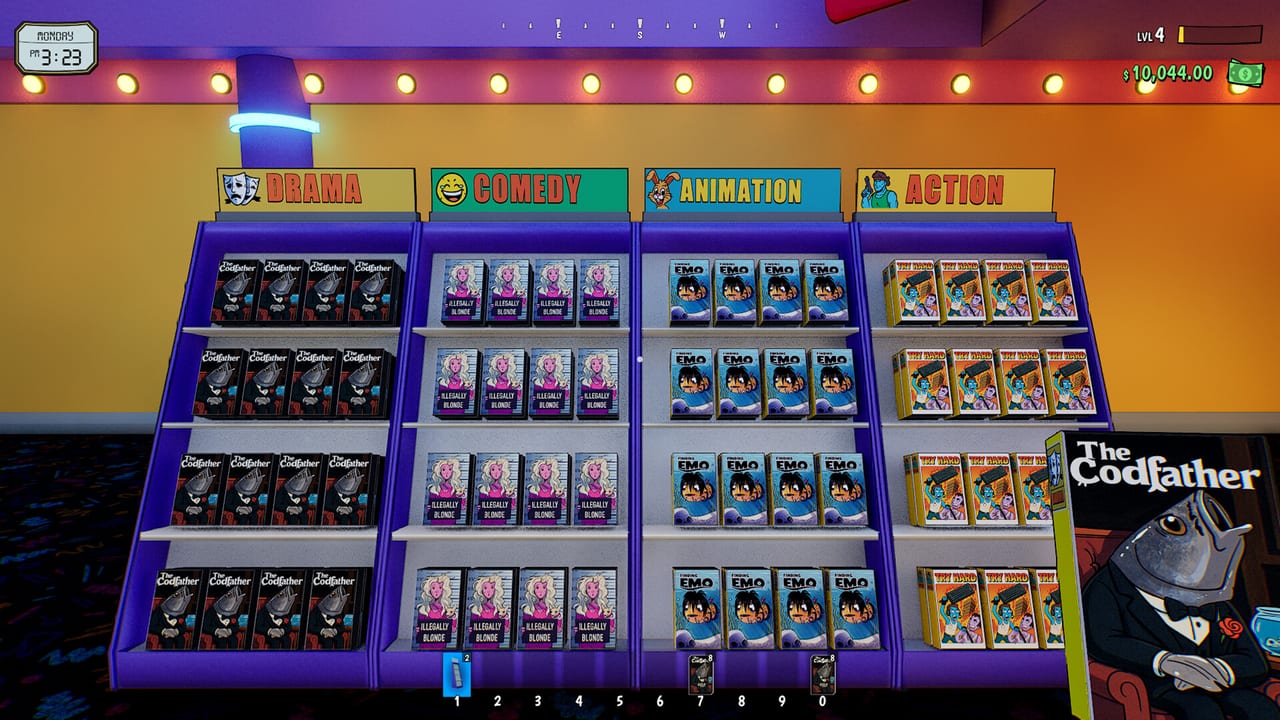
Rewind 99 is a first-person Unreal Engine 5 sim with partial controller support. Most clerks play mouse and keyboard because drag-and-drop tapes, grid placement, and checkout number keys are built for a cursor. This page is the practical map: movement, stations, builder keys, and the recovery binds that save a run when you fall through Reshoot Springs. Pair it with the beginner guide for the first-shift order of operations.
Move, look, interact
- WASD — walk. Sprint exists and, after patch 0.9.32, also works in Builder Mode so you are not stuck tiptoeing a shelf across the store.
- Mouse — look. Sensitivity lives in settings; demo patches added readable key hints and a read-only bindings list.
- Interact / click — talk to the Store Manager, pick up boxes, start checkout, use the rewind desk, smash a kiosk when you are holding a bat.
- Inventory / Quick Use bar — numbered slots along the bottom. Pickup detection improved in the Next Fest demo so floating items are easier to grab. If a slot is full, drop or sell before you drag a tape.
- Hold T — drop stacks of 20 (Remix). Use it in the stockroom, not over a customer spine.
- Press C — sell the item in your hands (Remix). Faster than walking a junk prize to a vendor.
Throwing matters. Probe ‘n’ Go’s night gag (8 p.m. to 8 a.m.) wants you to throw an object at a “press me” button. If throw is unbound in your head, you will stand in the parking lot until dawn. Check the in-game hints; do not assume a console-style trigger.
Placement: Q, E, and the grid
Builder placement uses Q and E to rotate furniture and, on the customization mirror, to cycle options. The same Q/E language appears on character cosmetics. Ghost the footprint before you confirm — overlapping grid cells can stay disabled after a move (a rare 0.9.32 bug). Side hustles often reserve floor tiles; if a Fight Club or claw machine refuses to sit down, the game now shows a player-facing message instead of a silent fail. Read it. You probably still need hustle level or a basement, not a different angle. Rank those unlocks on the tier list.
Keep aisles wide. Customers path through doors; they also get stuck in them. A pretty maze is a support ticket. Store layout shows a counter-facing plan that leaves a rewind highway.
Stations that want a cursor
The rewind machine is drag-and-drop, not a single interact. Left bin, deck, button, right bin — full steps in how to rewind tapes. Checkout later accepts standard number keys for credit-card entry (added in 0.9.32). Self-checkouts reduce how often you stand at that keypad.
Cosmetic mirror, rewind station, and the cosmetics vendor are shared objects in co-op. Older builds broke them for everyone after one player used them; wait your turn and do not stack four cursors on one desk.
Save, unstick, do not panic
- F5 quicksaves. During the demo it accidentally fired a debug mode; that was patched. Use it before you experiment with a basement or a bat fight.
- Sudoku in the pause/options flow is the official unstuck tool for falling through the map or other bad states. It is not a joke menu.
- Settings volume now applies on the title screen too (demo fix). If the claw machine screams, check the bus rather than the hardware.
Steam Deck is Unsupported. Remix added partial controller support: playable, far from perfect, more input patches promised on a ~2-week horizon. A pad can move you around town; it is still a worse clerking device than a mouse when fifty tapes need dragging. System requirements cover GPU and RAM more than bind layouts. The open/closed sign now sets operating hours — the shop is not 24/7 after Remix.
Combat and town binds
The wooden bat is an inventory item you swing at RentNet kiosks and, sometimes, at late renters. Face the kiosk, interact/attack, watch for goons. You are not playing a brawler — you are clearing a spawn thief so the money loop resumes. Scooters are world vehicles; mount, ride, dismount near the door so you are not parking in the checkout lane.
If a control “does nothing,” you are probably at the wrong station: holding a tape at the register will not rewind it, and swinging a bat at the Store Manager will not order shelves. Walk to the object the tutorial named. When Remix is on your install, also confirm you are not on a stale Legacy bind set from the co-op branch — details in the Remix update.
Learn these binds once. The rest of the wiki assumes you can rotate a shelf, drag a cassette, throw a can at a night button, and F5 before you test a hustle.
Frequently Asked Questions
Quick answers to the most common questions.
How do I rotate shelves in Rewind 99?
Enter placement and use Q and E to rotate the ghost. The same keys cycle cosmetics on the mirror.
What does F5 do?
Quicksave. It used to toggle a debug mode in the demo; that was patched. Save before basement buys and bat runs.
How do I throw an item?
Use the throw bind shown in the key-hint UI. You need it for the Probe 'n' Go night button between 8 p.m. and 8 a.m. Check settings if it feels unbound.
Is Rewind 99 good on a controller?
Partial support. Fine for walking the town, worse for rewind drag-and-drop and grid building. Keyboard and mouse is the clerking setup.