
Rewind 99 System Requirements
A cartoon shop on Unreal Engine 5 — pack more GPU than the box art suggests.
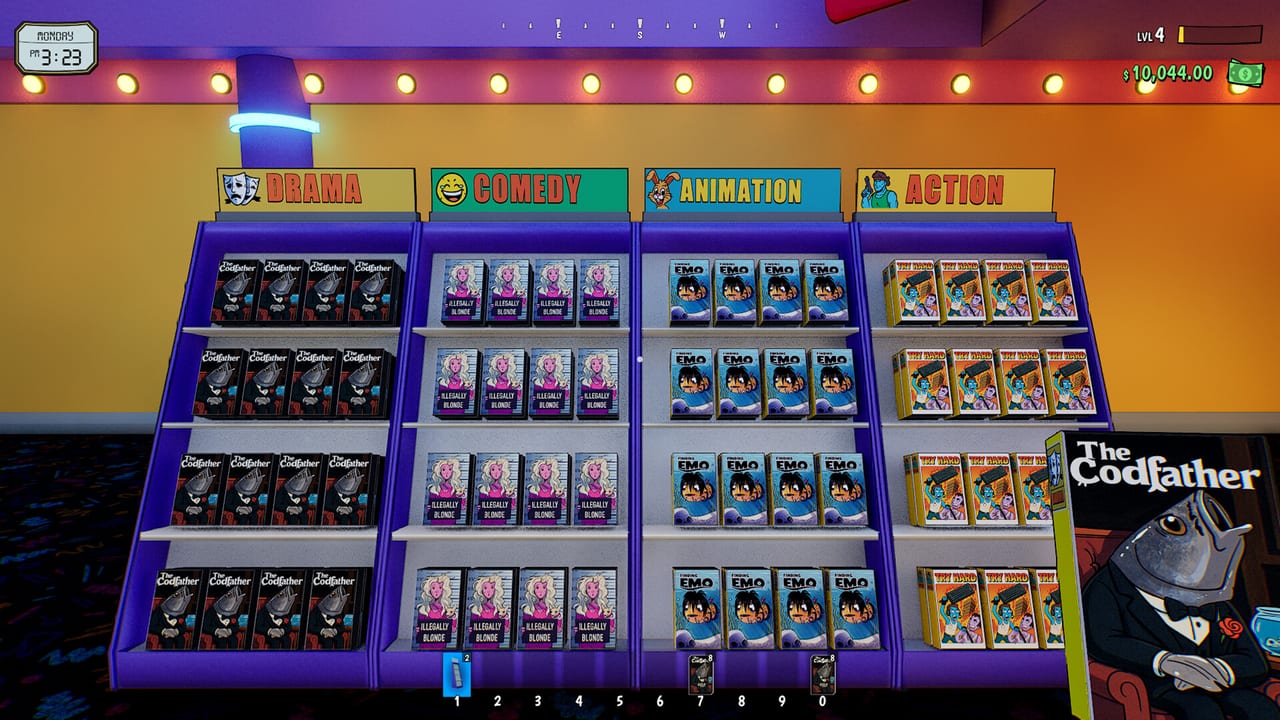
Rewind 99 is Windows-only on Steam. The official store specs are the numbers to trust; this page translates them into clerking reality: why a 1060 struggles after you fill the shop, why 16 GB RAM is the comfortable line, and why Steam Deck is a no. Remix in late August 2026 existed because the minimum spec did not describe a max-level store. Read this before you promise co-op on a machine that already hates Chrome.
Official minimum
- OS: Windows 10, 64-bit
- CPU: 3 GHz 4-core or similar
- RAM: 8 GB
- GPU: GeForce GTX 1060 or Radeon RX 580
- Storage: 8 GB available
This is enough to boot the analog shop and finish the beginner truck. It is not a promise of 60 FPS with a claw machine, a candy dealer, fifty customers, and four friends. Partial controller support exists; mouse and keyboard remain the clerking kit — see controls.
Official recommended
- OS: Windows 10, 64-bit
- CPU: 3.5 GHz 6-core or similar
- RAM: 16 GB
- GPU: GeForce RTX 3060 or Radeon RX 6700
- Storage: 8 GB available
Community reports from spring 2026 still saw ugly drops on 3060-class cards when the store was “done.” Remix targeted that hitch. If you are on recommended hardware and still stutter, update the GPU driver, cap the frame rate, and strip decorations you placed as a joke. Store layout is also a performance tool: fewer overlapping NPCs in a maze means fewer pathing spikes.
What is not supported
- Steam Deck — listed Unsupported (graphics performance). Remix added partial controller support: playable, far from perfect. Do not plan a handheld kiosk route. The mid-article video is OLED/LCD Deck footage, not a Verified badge.
- macOS / Linux — not on the official sheet. Proton reports are not a studio promise.
- Split-screen — co-op is online, up to four, currently on Legacy after Remix.
Languages on Steam: English (interface + full audio) and Portuguese-Brazil (interface, audio, subtitles). This wiki matches that pair. Chinese and Russian are out of scope here because the game does not ship them.
Practical tuning
- Install on an SSD. 8 GB is small; random tape meshes still hate a 5400 RPM drive.
- Close overlays. Unreal plus a Discord overlay plus a 4-stack lobby is how title-sequence softlocks feel worse.
- Host co-op on the strongest PC. Remote clients have had ground-clipping NPCs.
- After Remix, stay on one branch. Mixing Legacy and Remix will not “use the better GPU.”
- If you fall through the map, that is a bug, not a spec fail — Sudoku unstuck, then F5 next time.
Age ratings flag cartoon melee and satirical “illicit” candy. That is content, not a GPU warning. The real warning is heat: a 4-core hitting 70% in a tiny shop was a review theme. Remix rebuilt memory and AI to shrink that graph. Judge your PC on a new Remix save, not a museum Legacy world.
If the analog fantasy is worth $11.99 — or $8.39 while the intro offer lasts through 10 September 2026 — but your laptop is a 1050, wait for a friend who can host, or wait for more optimization notes on Updates Hub. Saving physical media should not require a data-center.
Pair this page with the review if you are still deciding, and with Remix if you already own it and the fan is screaming.
Frequently Asked Questions
Quick answers to the most common questions.
What GPU do I need for Rewind 99?
Minimum GTX 1060 or RX 580. Recommended RTX 3060 or RX 6700. Late-game shops still benefit from the recommended card even after Remix.
How much RAM?
8 GB minimum, 16 GB recommended. The 8 GB floor is a first-hour number, not a decorated-store number.
Does Rewind 99 run on Steam Deck?
Steam lists it unsupported. Use a Windows desktop.
Will Remix make a weak PC good enough?
It was built to help late-game hitching, not to invent cores. If you are under minimum, it will still hurt. See the Remix update.